
Mad Chihuahua Players & Pack Tricks
Controls, follower pets, Sit / Belly Up / Bang tricks, photos, and six-player server etiquette.
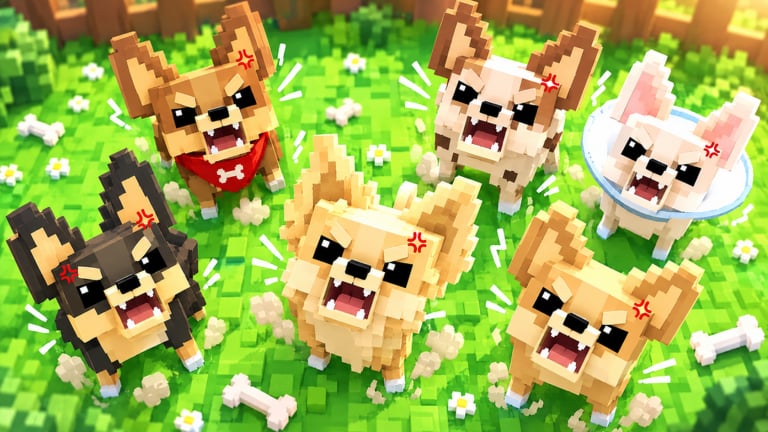
Mad Chihuahua is not only an idle economy — your pack follows you around Roblox as living pets. This Players Hub covers controls, trick commands, photo tips, and how to behave in six-player servers without blocking someone else’s deposits. Economy deep-dives stay on the Guides Hub; this page is about living with the dogs you worked so hard to merge.
Pack followers
Once you own Chihuahuas, they trail your avatar across the map. You do not need a separate combat pet AI — these dogs are companions and income engines at once. Higher-tier dogs from how to merge look louder in a crowd and make screenshots more impressive after Index progress.
If pets stop following after a lag spike, walk a few steps or rejoin. Sticky follower bugs are common on new Roblox simulations and usually clear on refresh.
Tricks: Sit, Belly Up, Bang!
The official description highlights tricks such as Sit, Belly Up, and Bang! Open the pet / emote panel tied to your pack and trigger each trick to confirm animations. Tricks do not replace deposits, but they are perfect for:
- Showing off S-tier dogs from the tier list
- Recording short clips for friends
- Taking Index completion celebration photos
Practice tricks after a Cash session so you are not ignoring Bones while posing.
Photo tips
- Move to a clean background away from busy shop UI.
- Trigger a synchronized trick if the UI allows group poses.
- Use Roblox’s native camera / record tools.
- Capture Index screens alongside pack photos for proof of completion (complete the Index).
Avoid standing on deposit points while photographing — other players need those interactions.
Controls overview
| Action | PC | Mobile |
|---|---|---|
| Move | WASD | Virtual joystick |
| Camera | Mouse | Drag |
| Shop / Codes / Index | HUD buttons | HUD / menu icons |
| Deposit Bones | Interact / deposit UI | Tap deposit |
| Tricks | Pack / emote panel | Pack panel |
Exact labels can shift after patches; if a button moves, check Updates.
Multiplayer etiquette (max 6 players)
Servers are small, so courtesy matters:
- Do not AFK on top of shop or deposit interactables.
- Do not spam loud emotes into someone’s face while they merge.
- Never ask for passwords, items for “safe keeping,” or off-platform trades.
- Share tips by linking wiki pages like earn Cash fast instead of gatekeeping.
If a server feels toxic, leave. Your pack progress is account-bound and follows you.
Linking playstyle to progression
Flex goals still need fuel. Redeem codes, keep merges clean, and open Lucky Boxes with space (Lucky Boxes guide). The cutest pack in the server is usually the one with the healthiest Bone income — not the one that spent everything on a single cosmetic.
Beginners should finish Getting Started before investing time in elaborate photo routes.
Accessibility and performance tips
- Lower graphics if follower packs tank FPS on low-end devices.
- On mobile, lock orientation for steadier trick taps.
- Mute music if you need to hear voice chat with friends, but remember voice is optional and not required for progression.
Related hubs
Play Mad Chihuahua as both a tycoon and a pet sandbox. Master the economy, then enjoy the pack personality systems this hub celebrates.
Frequently Asked Questions
Quick answers for Mad Chihuahua players.
Do Chihuahuas follow me automatically?
Yes. Owned dogs follow as pack pets. If they stop after lag, walk or rejoin to refresh followers.
What tricks can the pack do?
Highlighted tricks include Sit, Belly Up, and Bang! Open the pack or emote panel to trigger them.
How many players can share a server?
Mad Chihuahua servers support up to six players.
Do tricks increase Bone income?
Tricks are for expression and photos. Income still comes from deposits, merges, and better dogs.